
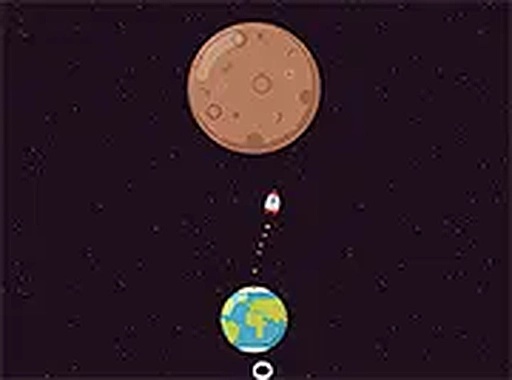
Cosmic Leap Timing Game
What players say
Cosmic Leap stands out for its elegant simplicity. The single-tap mechanic is easy to learn but the increasing orbital speeds keep you engaged. The minimal space visuals and calm audio create a focused atmosphere. Coin collection adds a light progression system without pressure. Cross-device support and no downloads make it ideal for casual play anywhere. A well-crafted timing game that respects your time.
How to play
Core Gameplay Loop
In Cosmic Leap, each round begins with your ship orbiting a planet. Your goal is to tap the screen at the exact moment the ship aligns with the next planet in sequence. A successful launch sends the ship gliding in a straight line toward the target. Miss the window, and the round ends. The simplicity of a single tap masks the depth required to master the ever-increasing orbital speeds.
Progression and Challenge
As you clear planets, the sequence grows longer and the orbits become faster. This gradual difficulty curve keeps early rounds accessible while demanding sharper focus later. The game does not rely on complex controls or multiple buttons, making it easy to pick up but hard to put down. Each attempt feels like a fresh test of your reflexes and patience.
Visual and Audio Atmosphere
The clean, minimal space theme uses soft colors and smooth animations to create a calm environment. The gentle background music and subtle sound effects for launches and coin pickups provide satisfying feedback without being distracting. This design helps players maintain concentration during longer sequences.
Customization and Rewards
Coins appear along the flight path between planets. Collecting them adds to your total score and unlocks new ship skins in the in-game shop. These visual customizations let you personalize your experience without affecting gameplay. The shop offers a range of designs that fit the space theme, giving you a reason to replay and improve your coin collection.
Cross-Device Accessibility
Cosmic Leap runs directly in your browser on desktop, tablet, or phone. No app store downloads or installations are required. Your progress saves automatically, so you can start a session on one device and continue on another. The full-screen mode enhances immersion, and the responsive controls work well with both touch and mouse input.
Tips for Improving Your Timing
Focus on the rhythm of the orbit rather than watching the ship alone. Try tapping slightly earlier than you think is correct, then adjust based on the result. Taking short breaks between attempts can help reset your concentration. Experiment with different devices to see which screen size feels most natural for your tapping style.









Comments
Sign in to comment
You must be logged in before posting a review or rating.
No account? Create one
No comments yet. Be the first to comment!